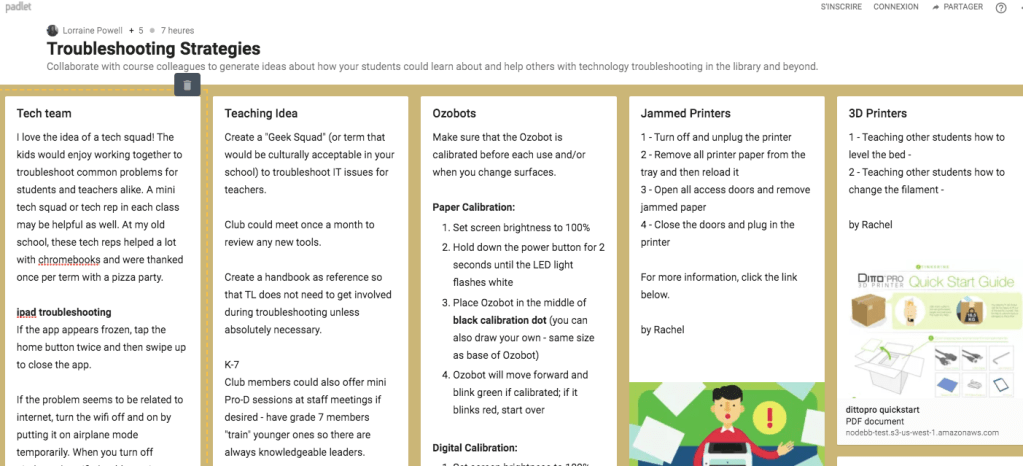
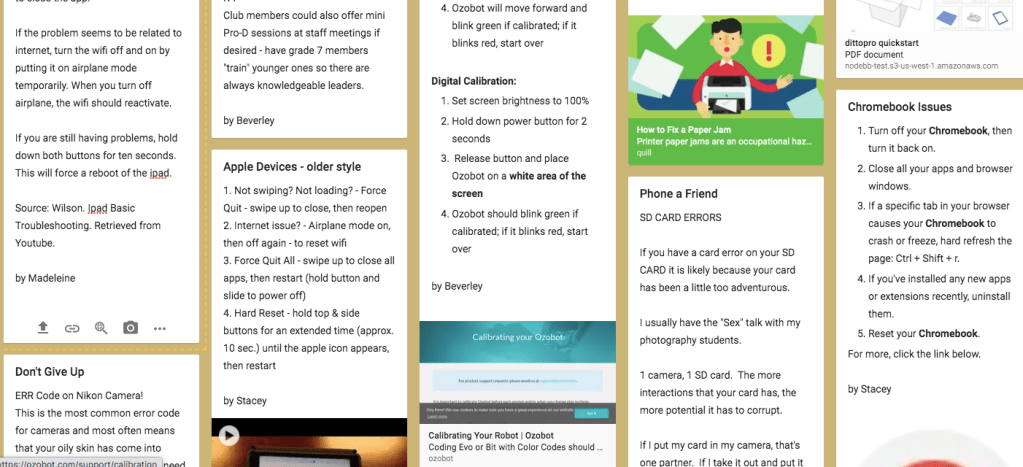
Before I watched the videos and participated in the collaborative padlet, my first troubleshooting strategy I thought of was « turn off the computer and turn it back on! ». I laughed at how basic this is and at how often I and others use this as our first line of troubleshooting.
Finally I was going to learn how the pros troubleshoot, I thought…..I was therefore surprised to learn from the ipad video as well as from the padlet contributions that much of tech troubleshooting does in fact involve first closing down and reopening programs, apps, and devices.
I think any school that uses ipads should consider watching the two-minute video with students to go over basic ways to troubleshoot. What I have noticed with kids is that they can get forceful with buttons and it would be helpful to show everyone how to solve the vast majority of ipad issues.
I also really liked Beverley’s suggestion of having a tech squad at the school. More than simply contributing to solving tech issues, this group could be mentored to learn many new skills while also forming a community of students with similar interests. I can see this being a great club for a TL or school tech leader to oversee.
Lastly, I found Stacey’s suggestions for chromebooks helpful since our schools use chromebooks in classes. Again, many initial troubleshooting strategies such as closing apps are fairly basic and should be taught directly to students.
Sources
Chromebook help (n.d.) Retrieved from https://support.google.com/chromebook/answer/6309225?hl=en
Wilson (2015). Ipad Basic Troubleshooting. (Video). Retrieved from https://www.youtube.com/watch?v=H3Y5JznoWgI
 Technology in the language learning classroom and library